

Case study · AI product · Concept
ReplyDeskAnswers for online shoppers, any hour.
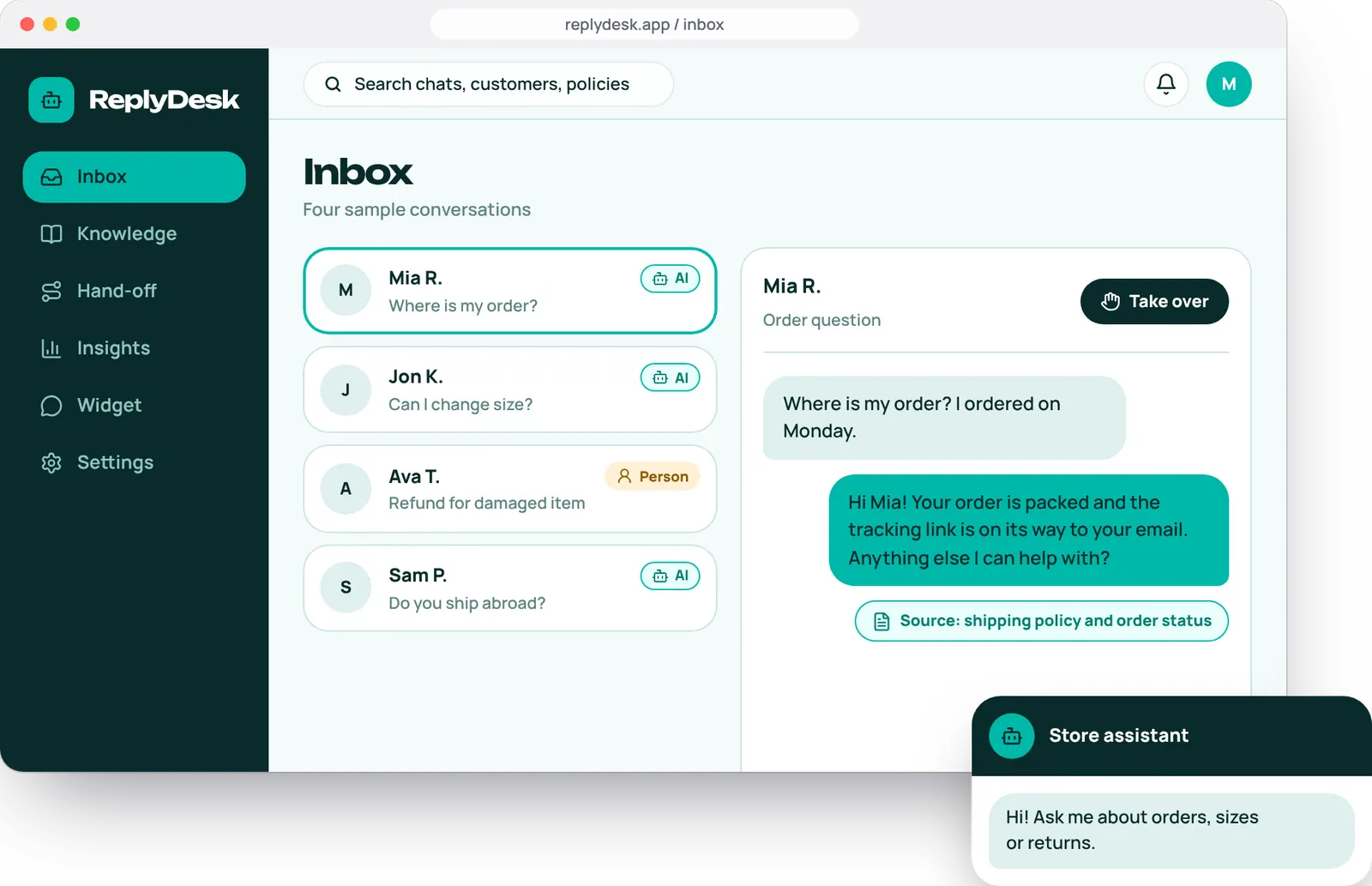
An AI support agent for online stores. It answers common questions from the store's own information and hands tricky chats to a person with the context ready.
- Platform
- Web dashboard and store widget
- Services
- AI development, UI/UX
- Deliverables
- Chat widget, agent inbox, hand-off flow, 10 screens
- Project type
- Concept, designed by Brand Revam
ReplyDesk is a concept project made by Brand Revam to show how we design and build AI products. Stores, customers and chats on these screens are sample content, not real data.
Fast answers, and a safe way out.
Small stores get the same questions all day and cannot staff support around the clock. ReplyDesk handles the easy ones and hands over the rest.
The challenge
The same questions about orders, sizes and returns arrive all day, and nobody is online at night.
The idea
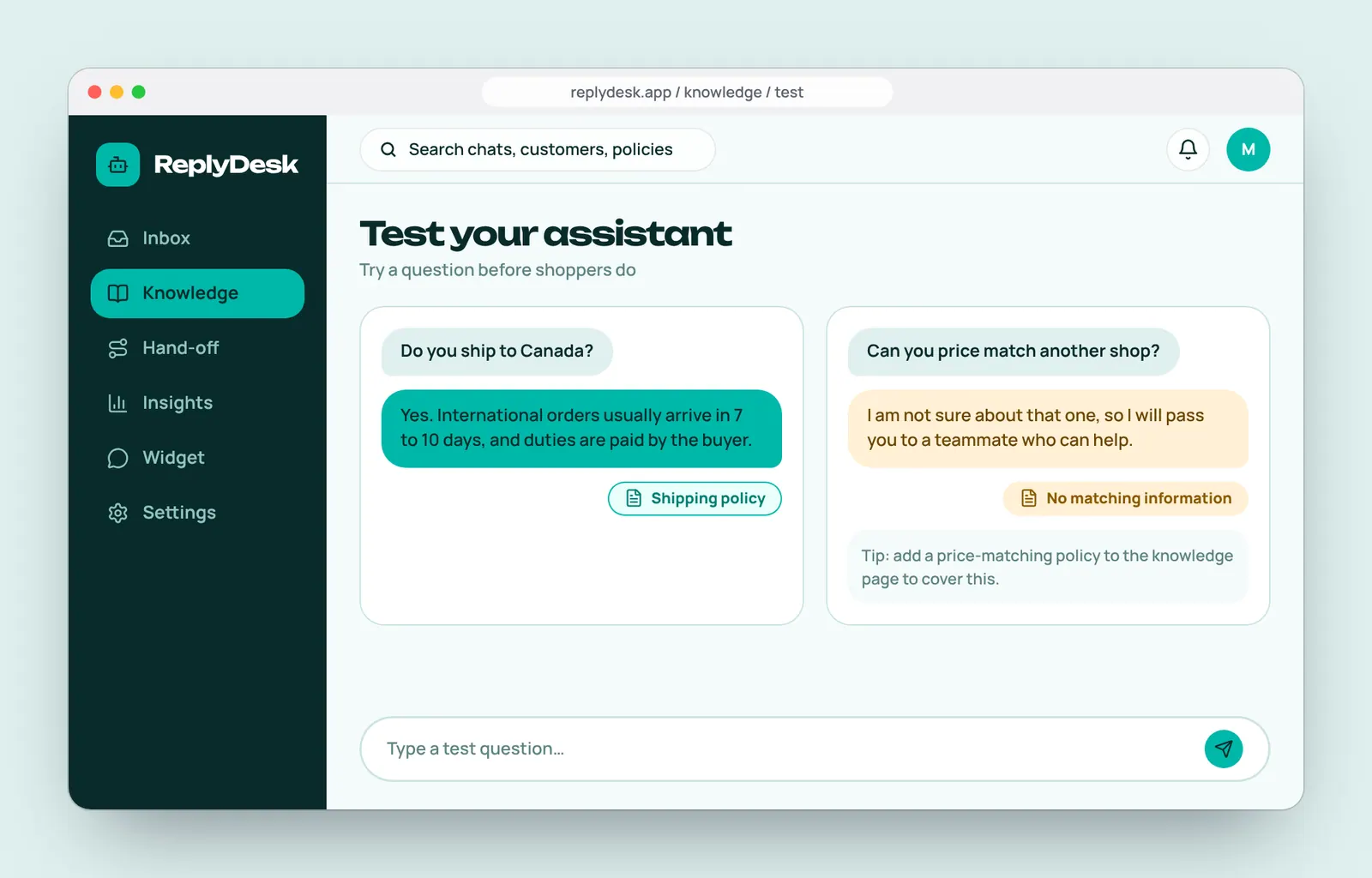
An assistant that answers from the store's own policies, shows its source, and passes the chat to a person in one click.
What we designed
A storefront chat widget, an agent inbox with AI and person labels, a take-over control and a knowledge page.
Who we designed for
Mia, shop owner
Runs a small online shop with one part-time helper. An example user we invented, not a real customer.
What they need
- Answers to simple questions without her typing
- Control over what the assistant may say
- A clear signal when a person is needed
- The whole chat in front of her when she steps in
What gets in the way
- Customers waiting overnight for a reply
- Chatbots that make things up
- Handing over and losing the context
- Tools built for large support teams
From a shopper's question to a safe hand-off.
Four screens show the assistant answering, and a person stepping in. Swipe to follow it on a phone.
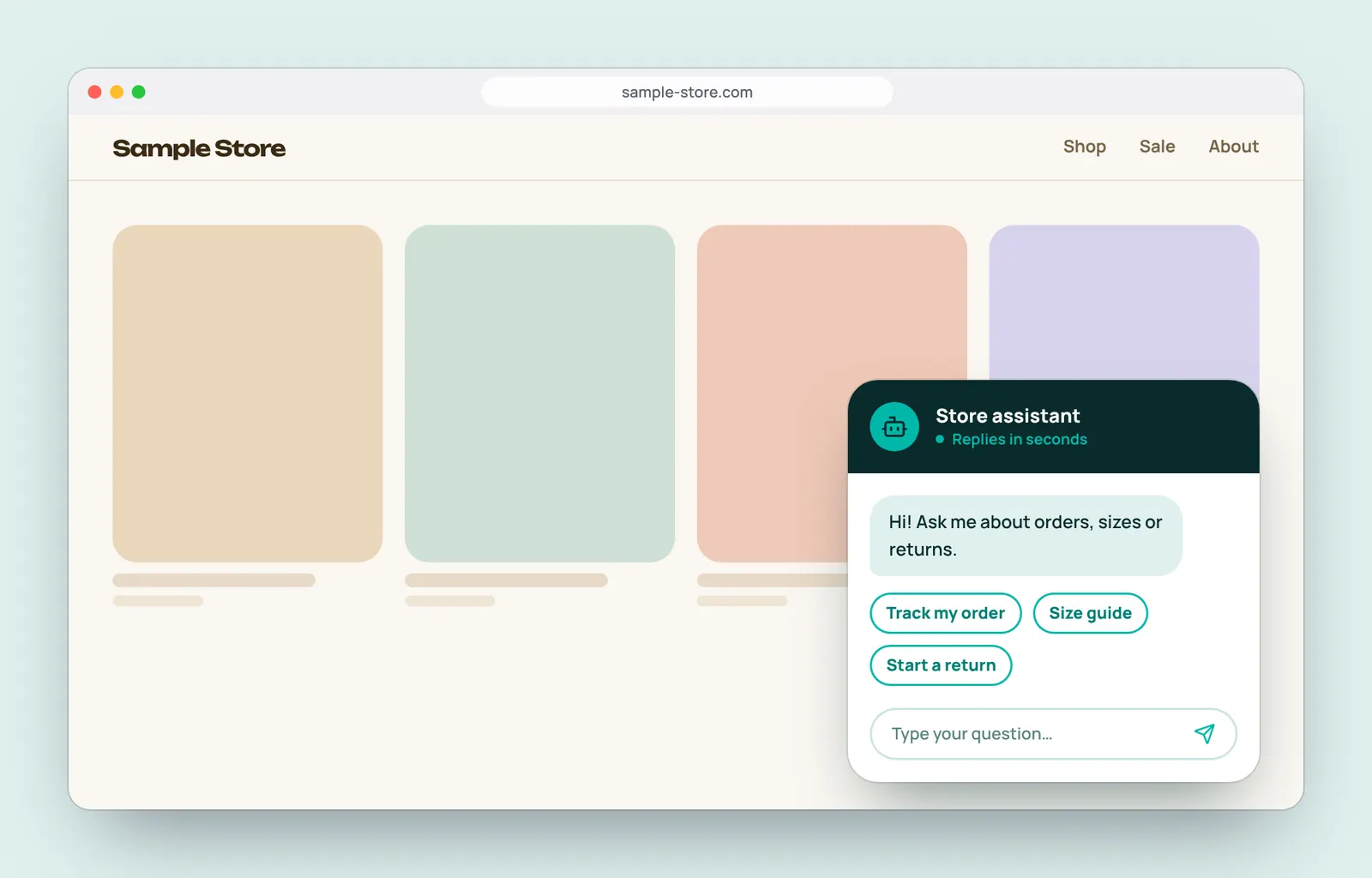
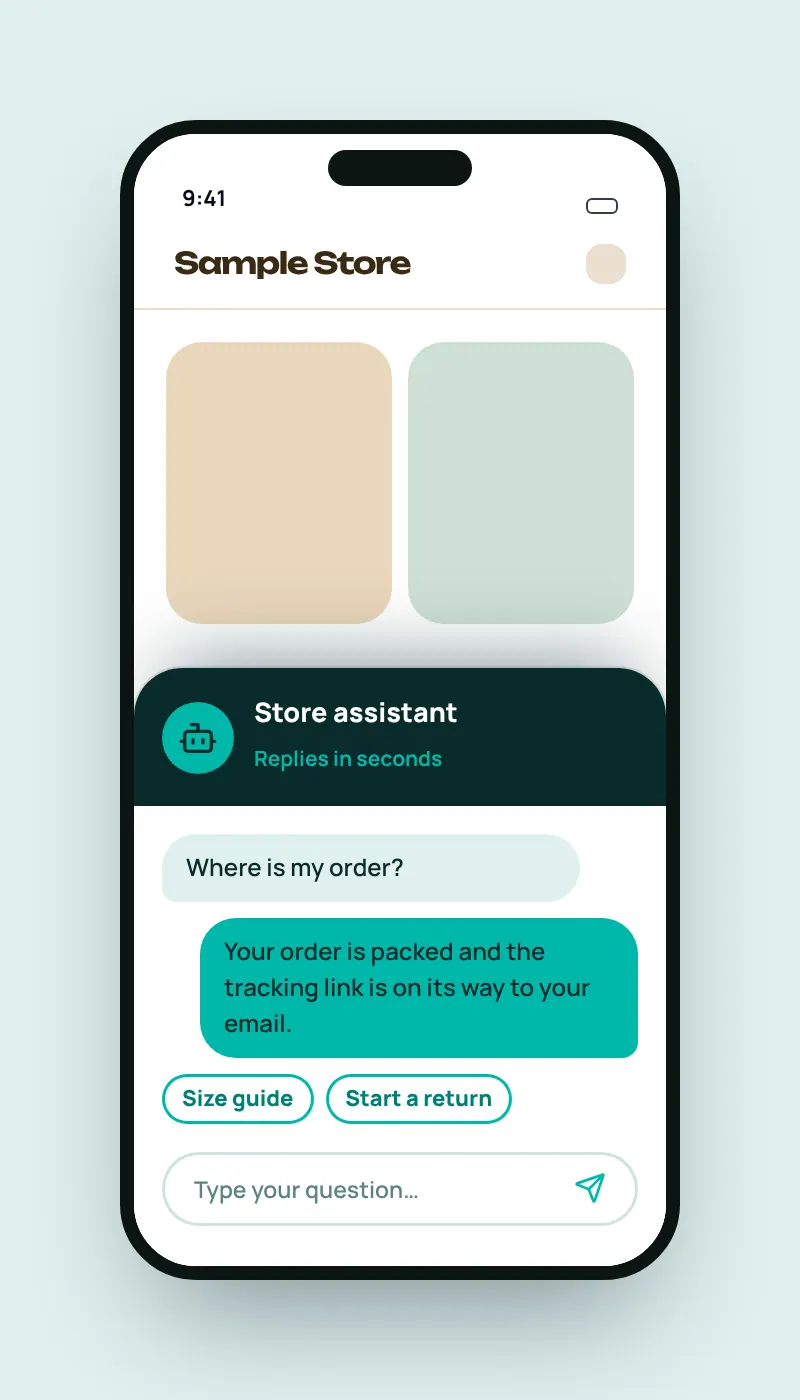
1. Shopper asksThe widget offers quick questions to start. 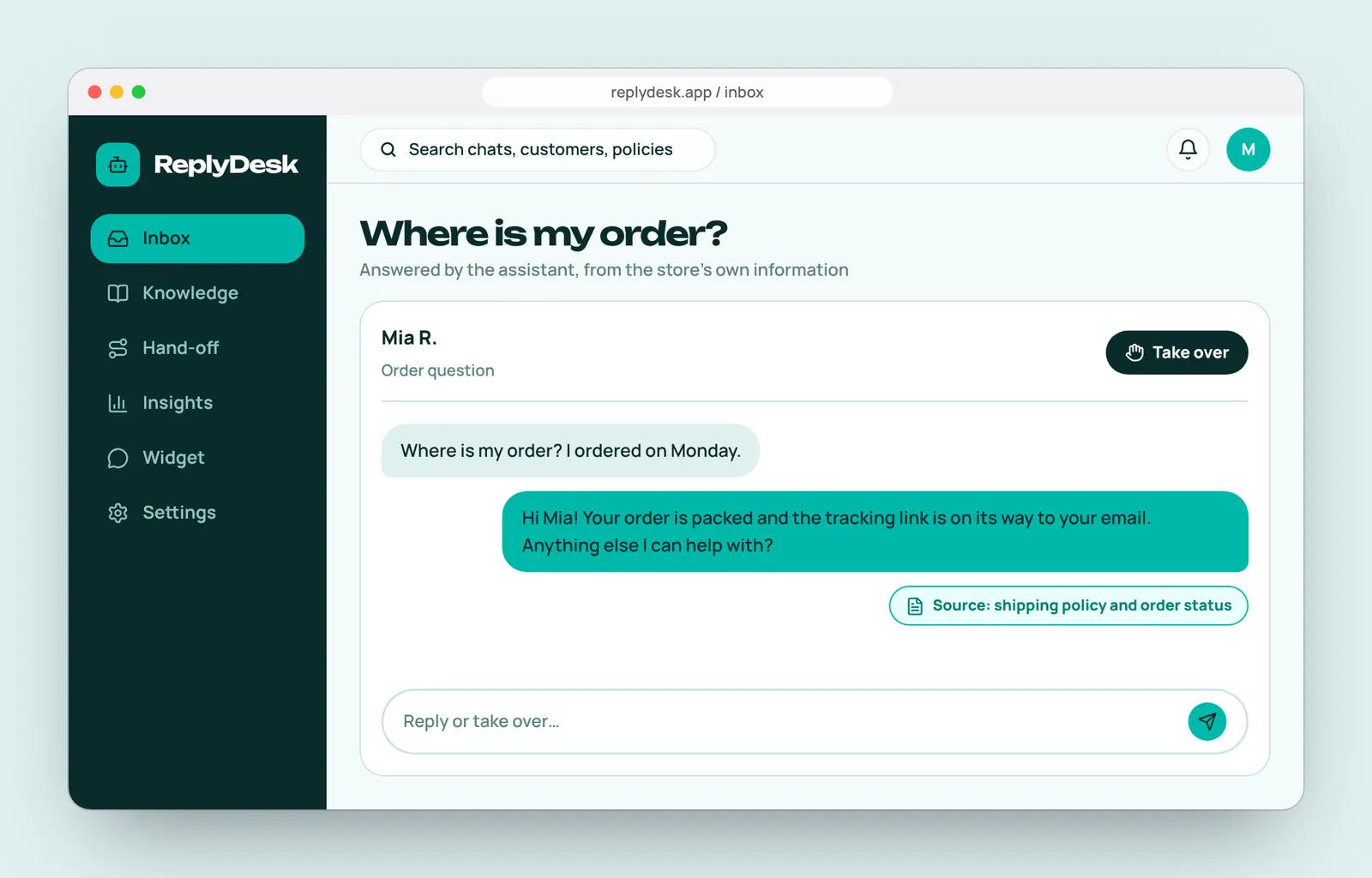
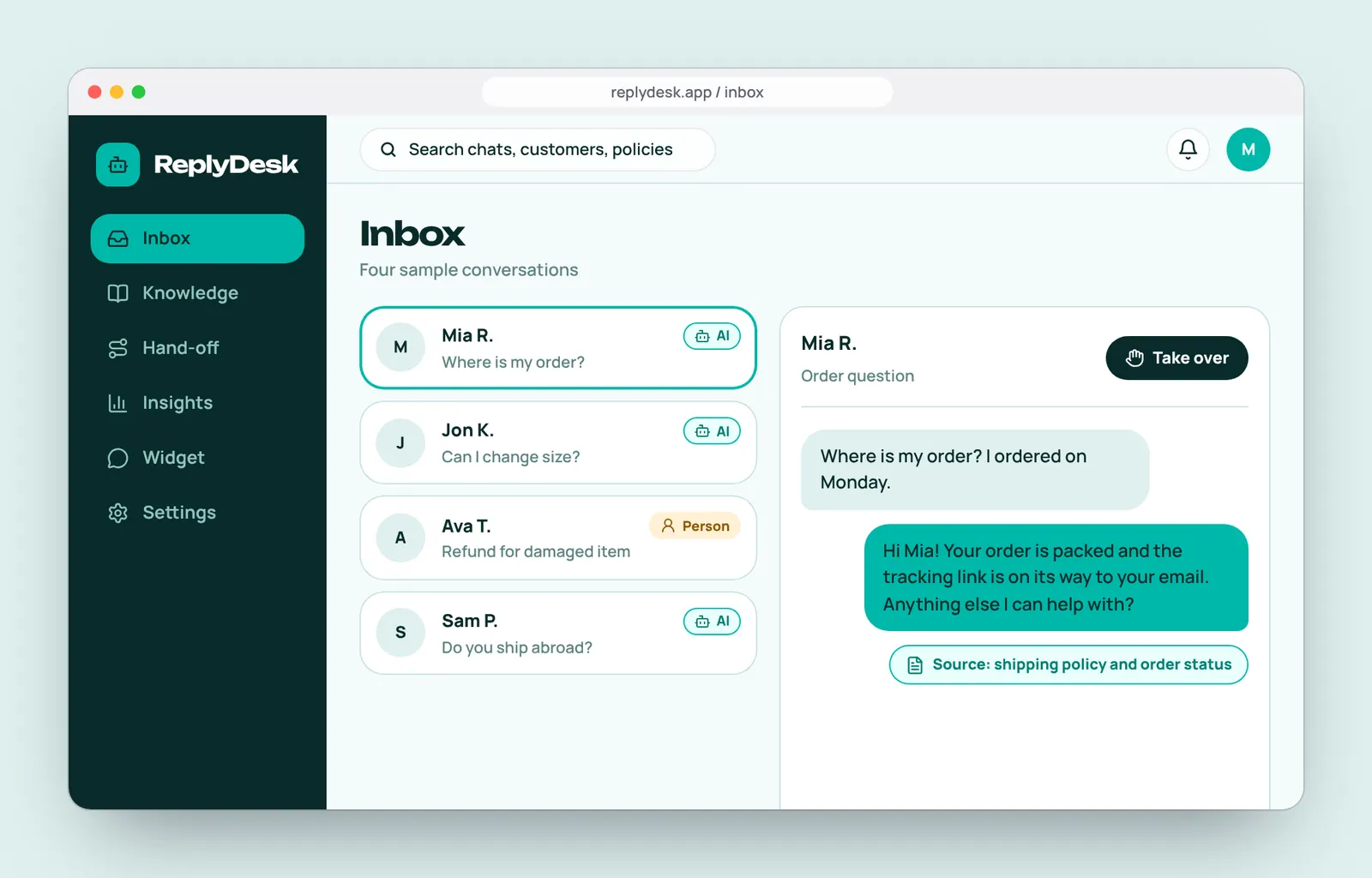
2. Assistant answersA reply from the store's policy, with its source. 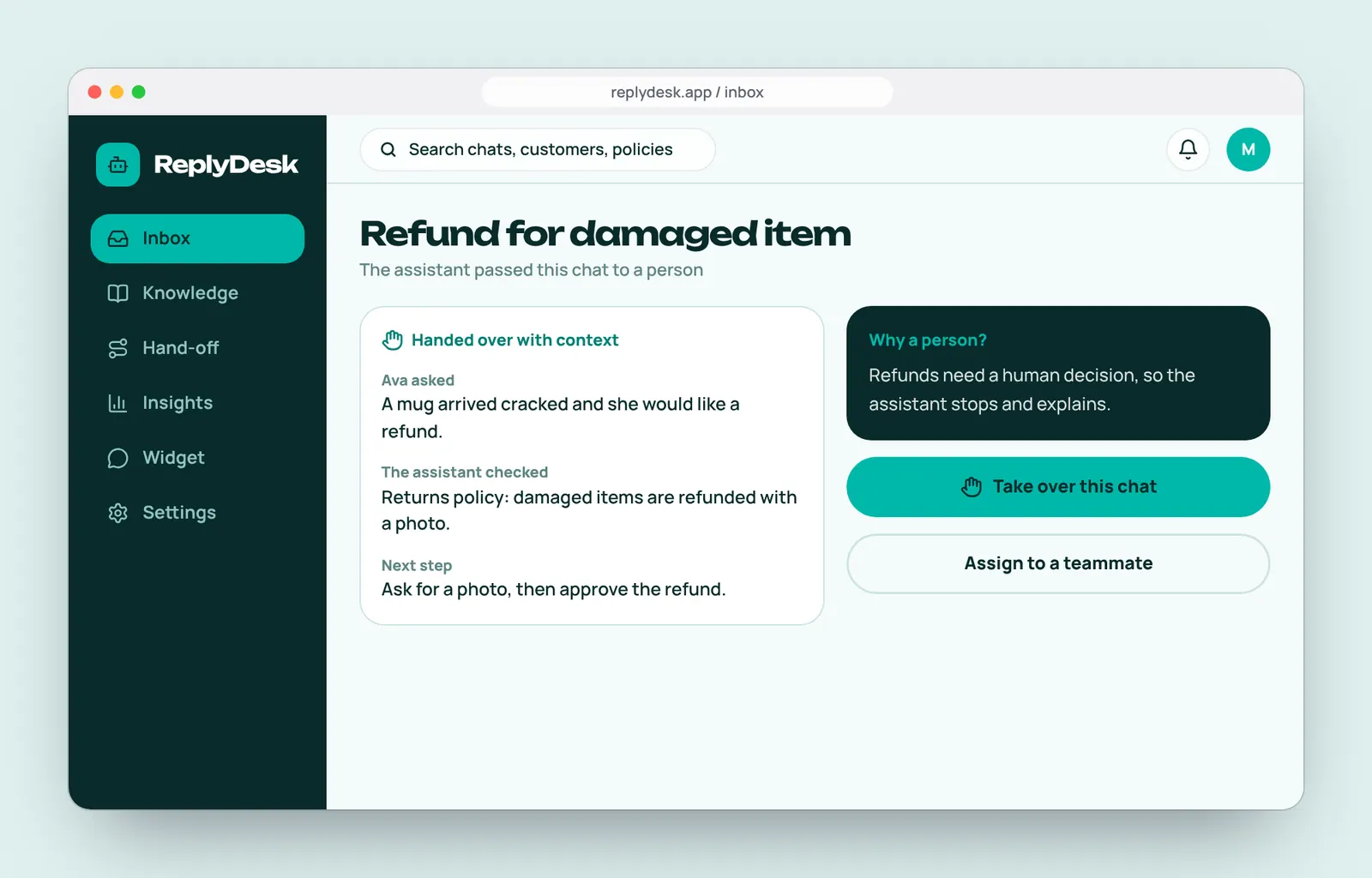
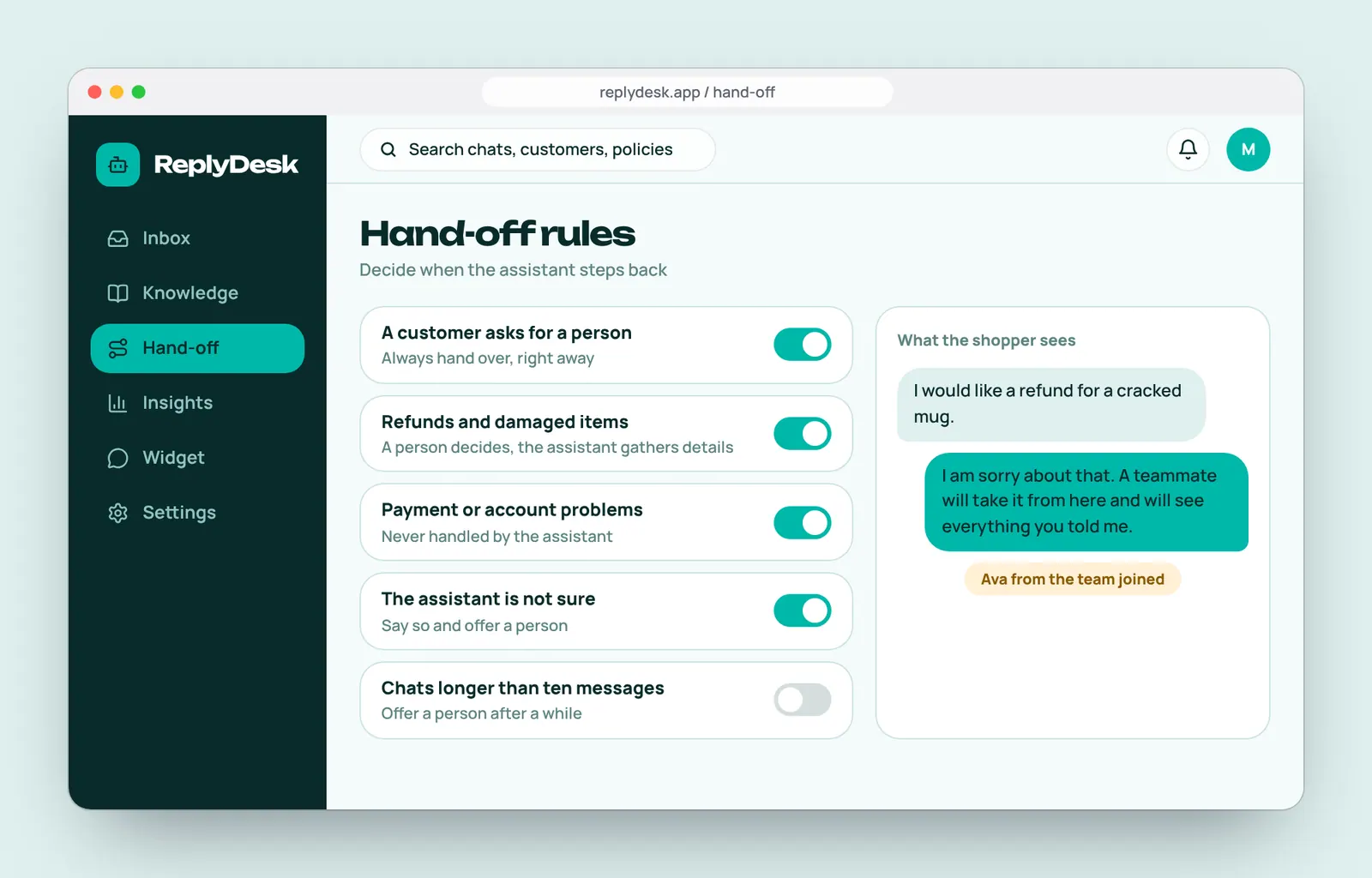
3. Hand-offTricky cases go to a person with context ready. 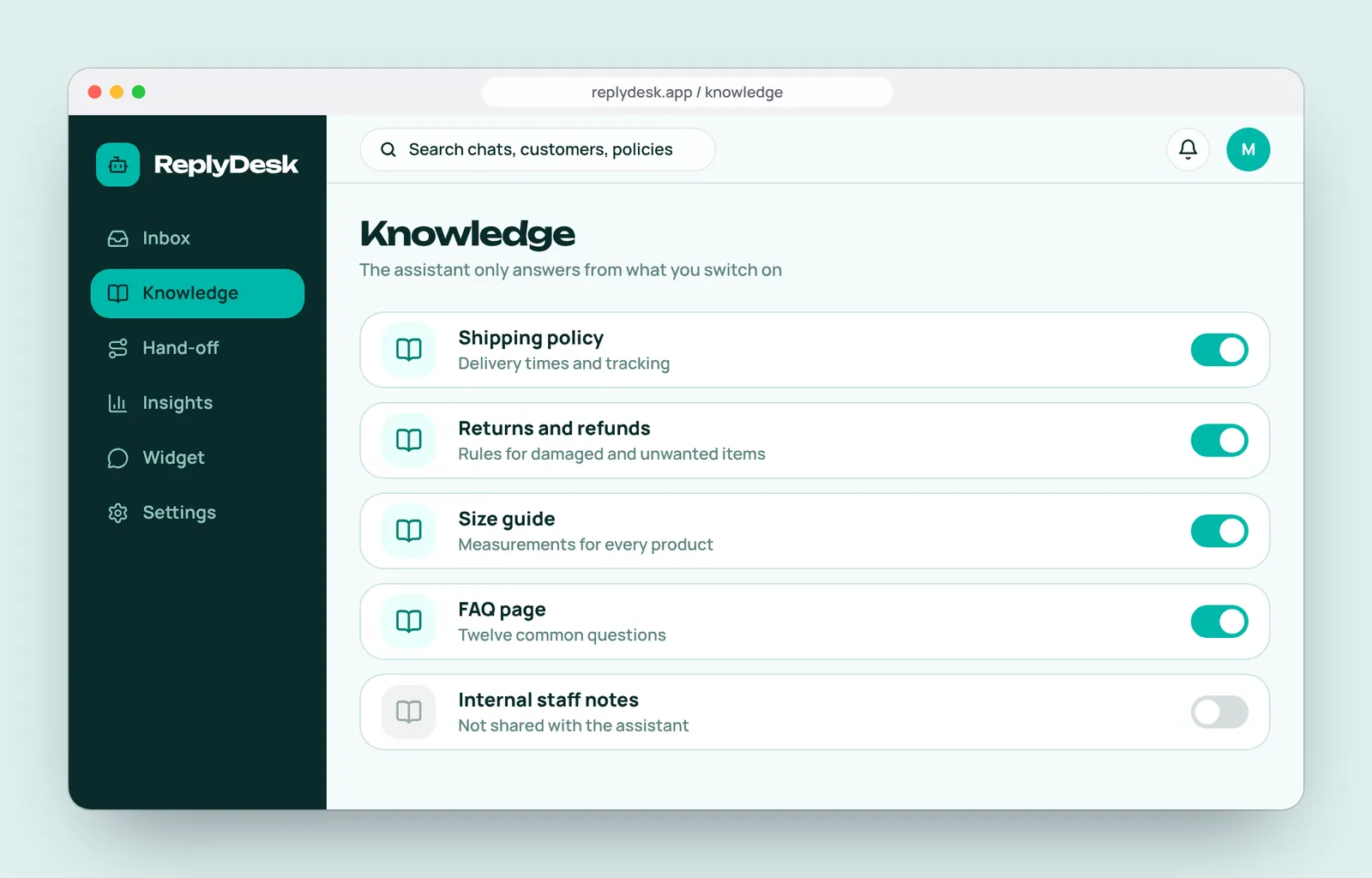
4. Stay in controlChoose which information the assistant may use.
A friendly teal for the assistant, amber for people.
Colours, type and components defined once, then reused on every screen. It also makes the product faster to build.
Colour
- Deep teal#082B2BSidebar and headers
- Teal#00B8A9The assistant and primary actions
- Ice#E9FFFBAI labels and sources
- Mist#DFF0EECustomer bubbles
- Paper#F4FBFAApp background
- Line#CBE4E1Borders
- Amber#FFB84DA person is needed
- Sea grey#5D8482Supporting text
Display type: Unbounded
AaReplies in seconds.Body type: Manrope
AaComponents
Browse the product.
Pick a screen to see the shopper's view and the team's view of the same chat.
Try it: choose a screen
Store widget
What the shopper sees on the store page.
All the screens.
Ten designed screens, grouped by who is using them. All customers and policies are sample content.
The shopper's side
Quick, friendly and clear about what the assistant can do, on desktop and on a phone.
The team's side
See every chat, step in when needed, and set the rules.
Set up and improve
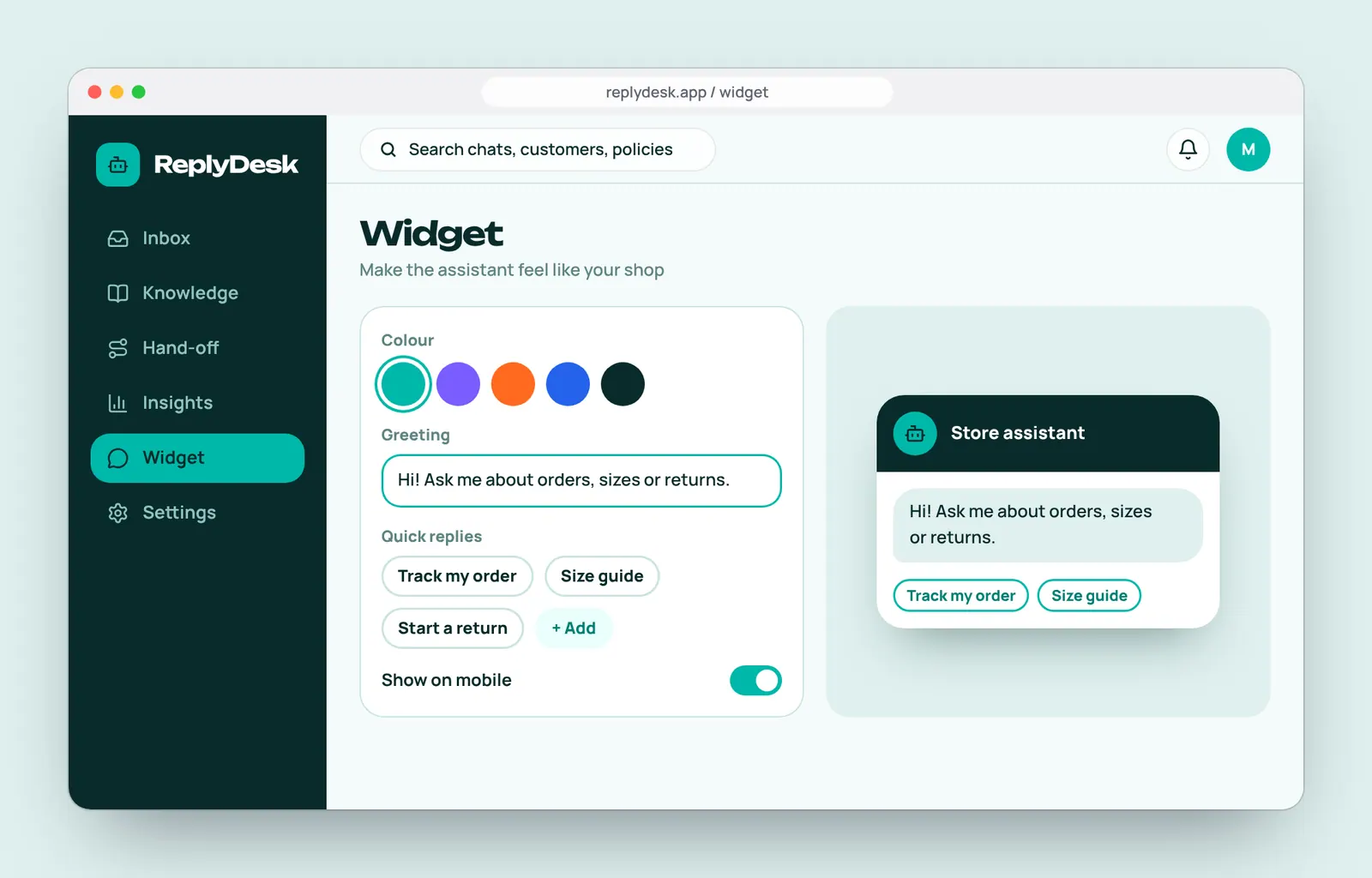
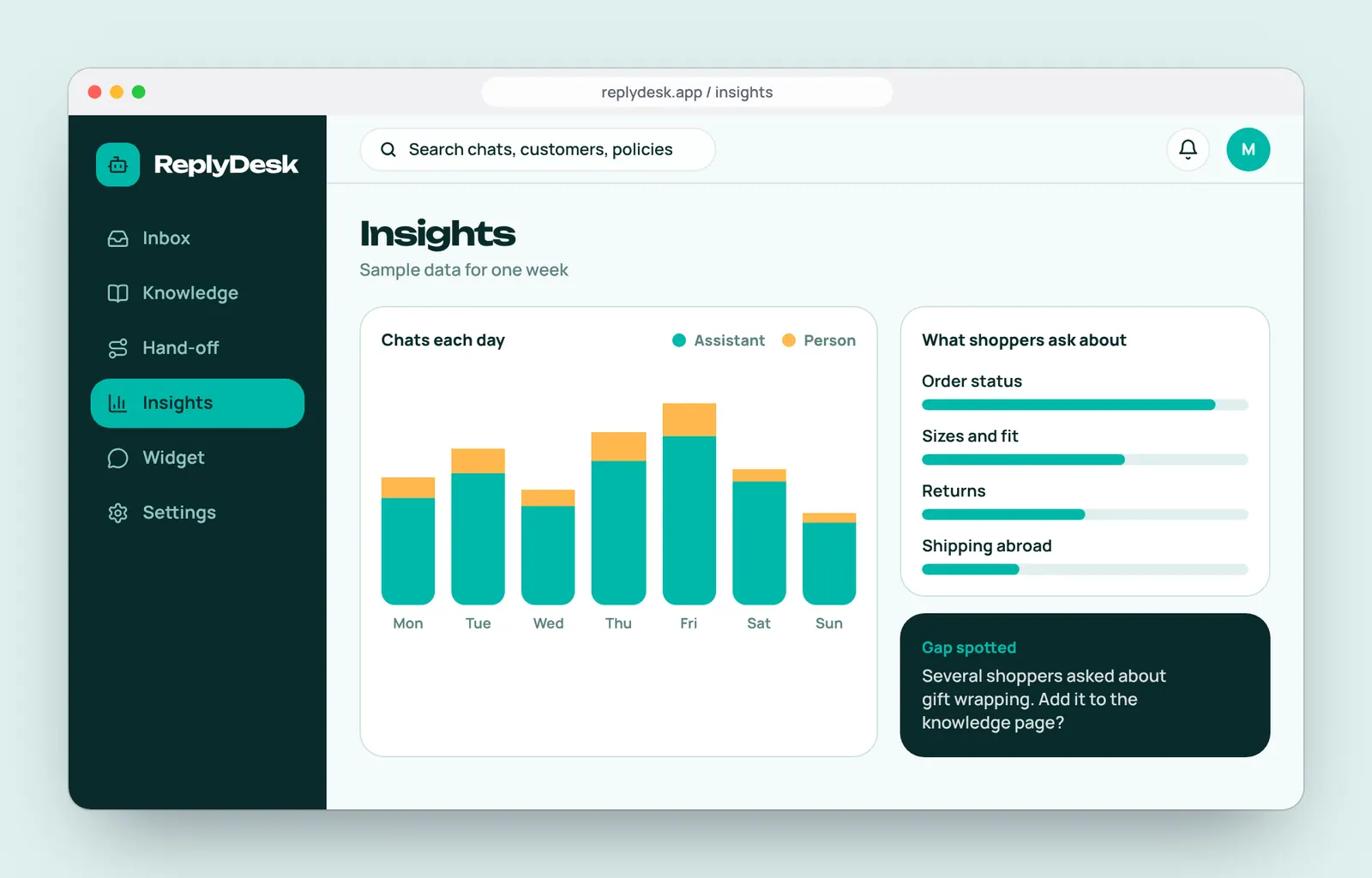
Teach the assistant, test it, make it look like your shop and spot gaps.
Small decisions that add up.
The details we paid attention to on every screen.
Only the store's facts
The assistant answers from pages the owner switches on, and says so when it does not know.
Every answer has a source
A small chip names the policy used, so staff can check it at a glance.
One-click take-over
A person steps in at any moment, and the shopper sees a smooth change.
Context travels with the chat
Hand-offs include what was asked, what was checked and a suggested next step.
Works while you sleep
Overnight chats are answered, and flagged ones are waiting in the morning.
Quick replies
Buttons for the most common questions get shoppers to an answer in one tap.
A clear plan for building it.
- 10 screens for the widget and the dashboard
- A hand-off flow that keeps context
- A UI kit developers can build from
- A clickable prototype for store owners to try
Let's build your next website.
Fill in the short brief and we will reply with a few questions, a rough timeline and a clear next step. No pressure and no jargon.