

Case study · AI product · Concept
BrieflyMeetings, turned into clear next steps.
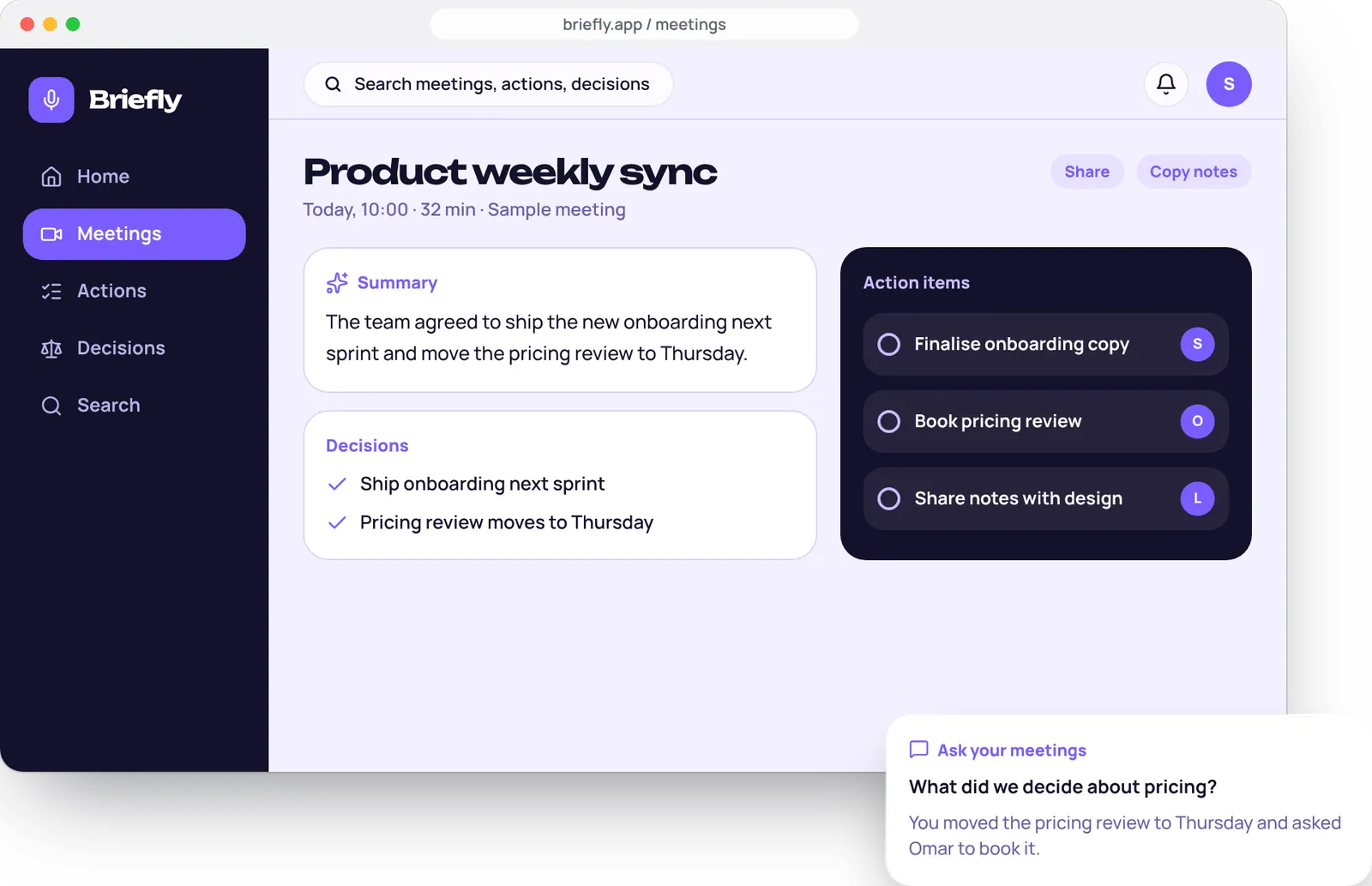
An AI assistant that listens to a meeting, writes a tidy summary and pulls out the actions, owners and decisions, so nobody has to type notes.
- Platform
- Web app and desktop
- Services
- AI product design, development
- Deliverables
- UX flows, UI kit, prototype, 10 screens
- Project type
- Concept, designed by Brand Revam
Briefly is a concept project made by Brand Revam to show how we design and build AI products. Meetings, names and answers on these screens are sample content, not real data.
Decisions should not vanish after the call.
Teams lose decisions in long calls. Briefly writes the notes, then makes them searchable, so people can simply ask what was decided.
The challenge
Someone always ends up writing notes, and the notes are rarely read. Decisions and owners get lost between one call and the next.
The idea
Let the AI do the notes, then make every meeting searchable so a question gets an answer, with its source.
What we designed
A meeting library, auto-written summaries, action tracking, a question-and-answer panel, plus live recording, transcripts, sharing and privacy settings.
Who we designed for
Sara, product lead
Runs three team meetings a week and still owes everyone notes. An example user we invented, not a real customer.
What they need
- Notes she does not have to type
- Clear owners for every action
- A way to find what was decided last month
- Summaries the team will actually read
What gets in the way
- Hours lost writing up calls
- Actions that never leave the meeting
- Decisions nobody can find later
- Long transcripts that nobody opens
From a call to a clear next step.
Four screens take a meeting from recording to answered questions. Swipe to follow it on a phone.
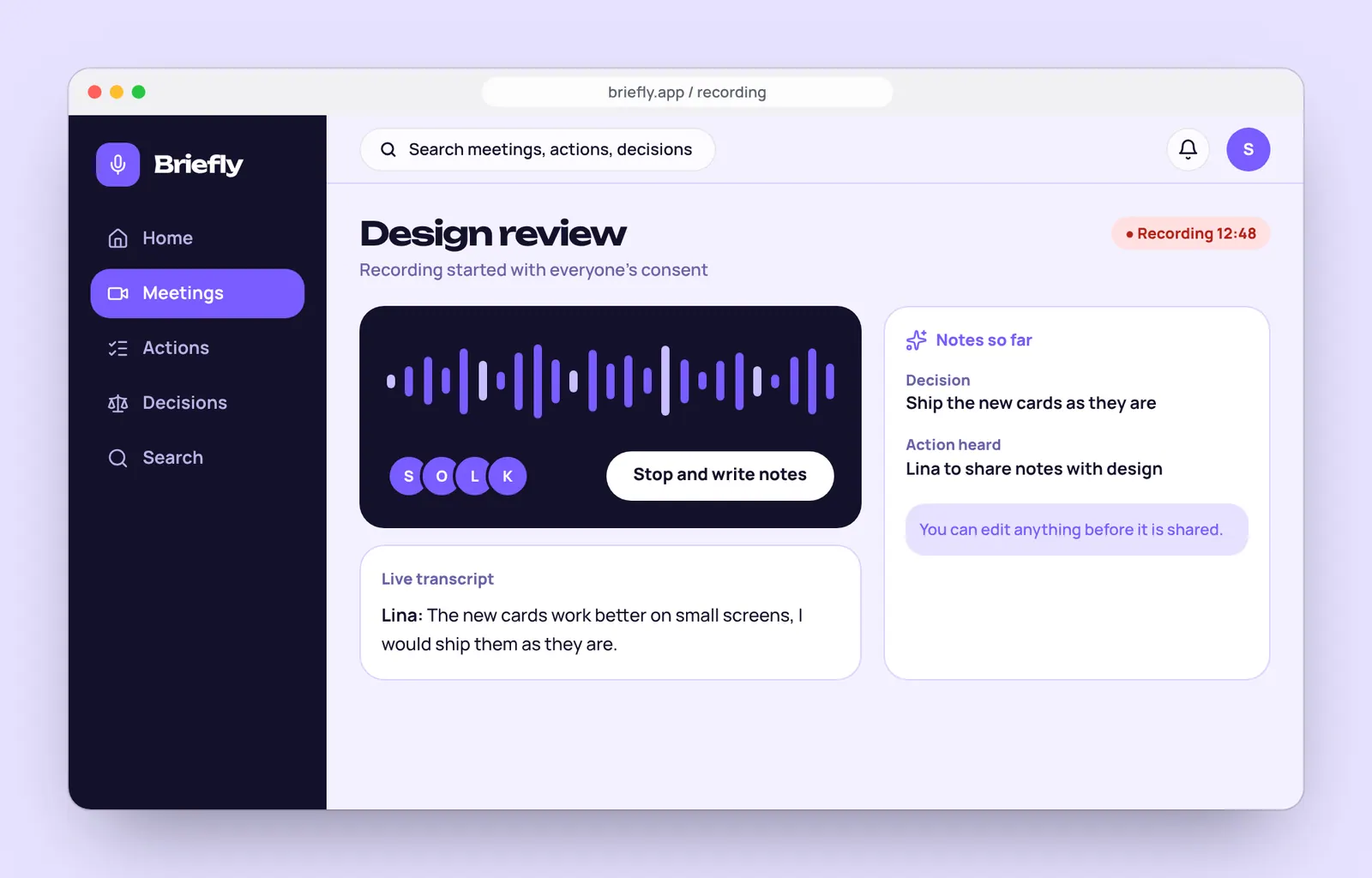
1. RecordJoin the call with consent shown to everyone. 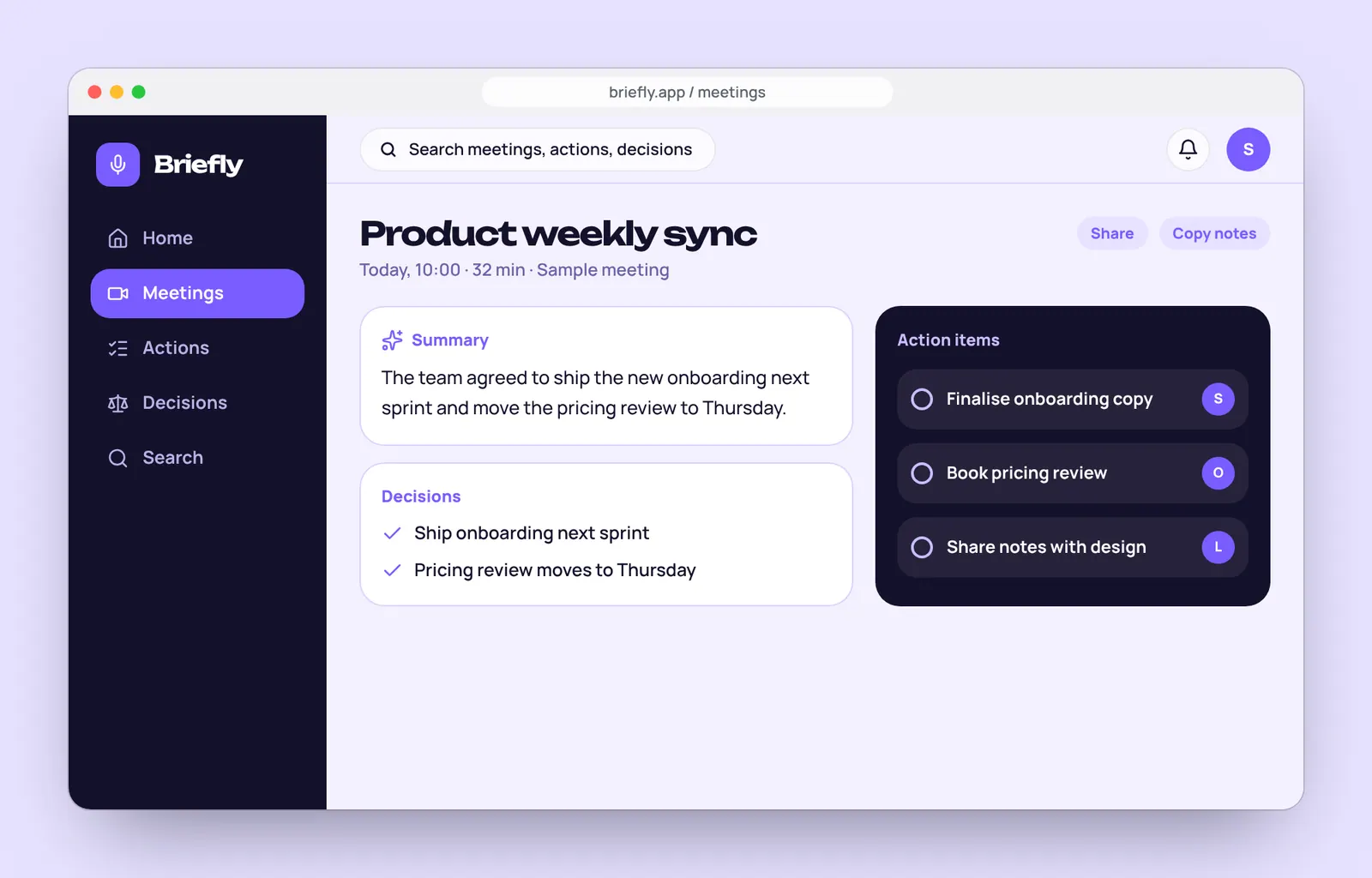
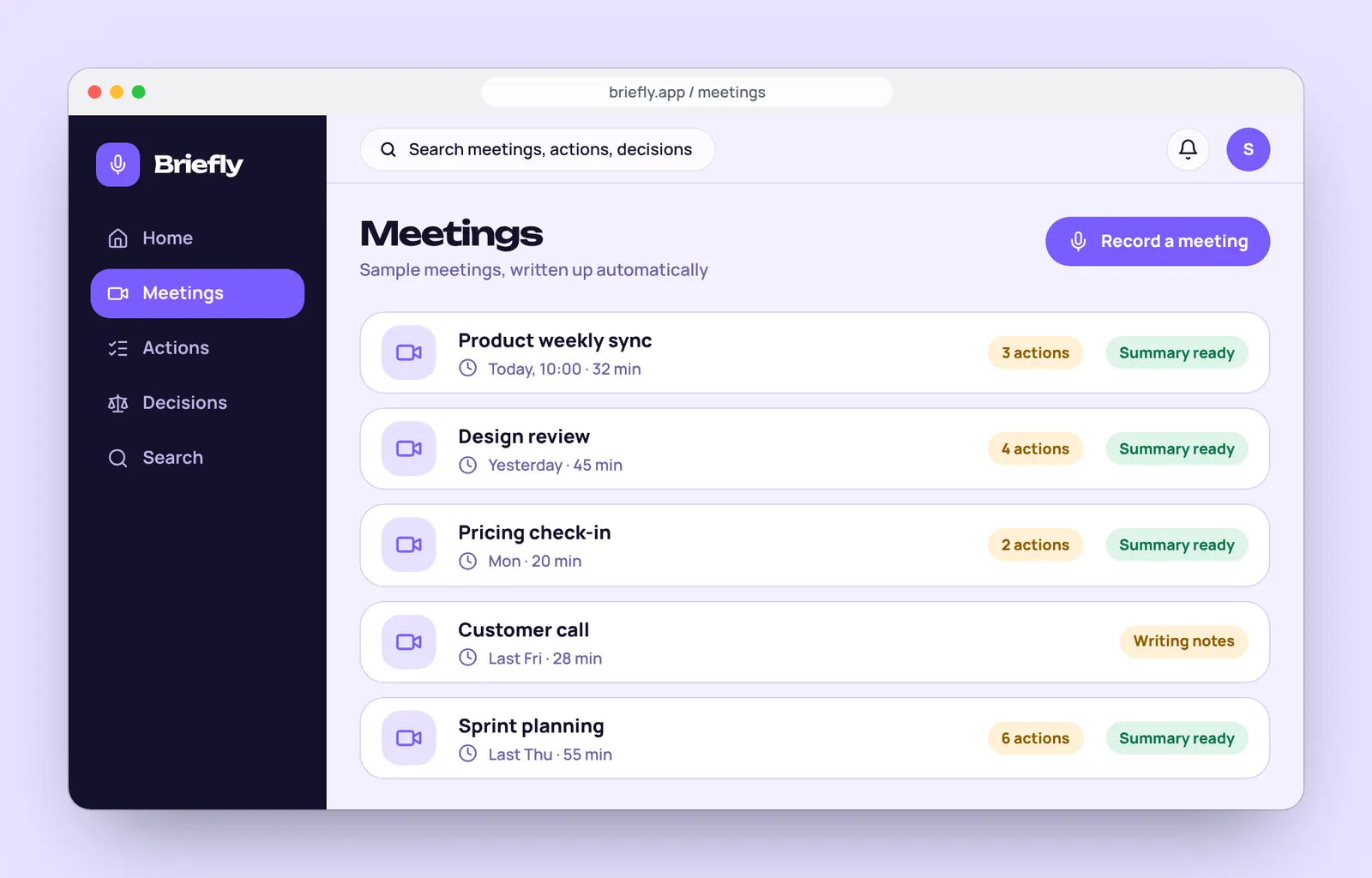
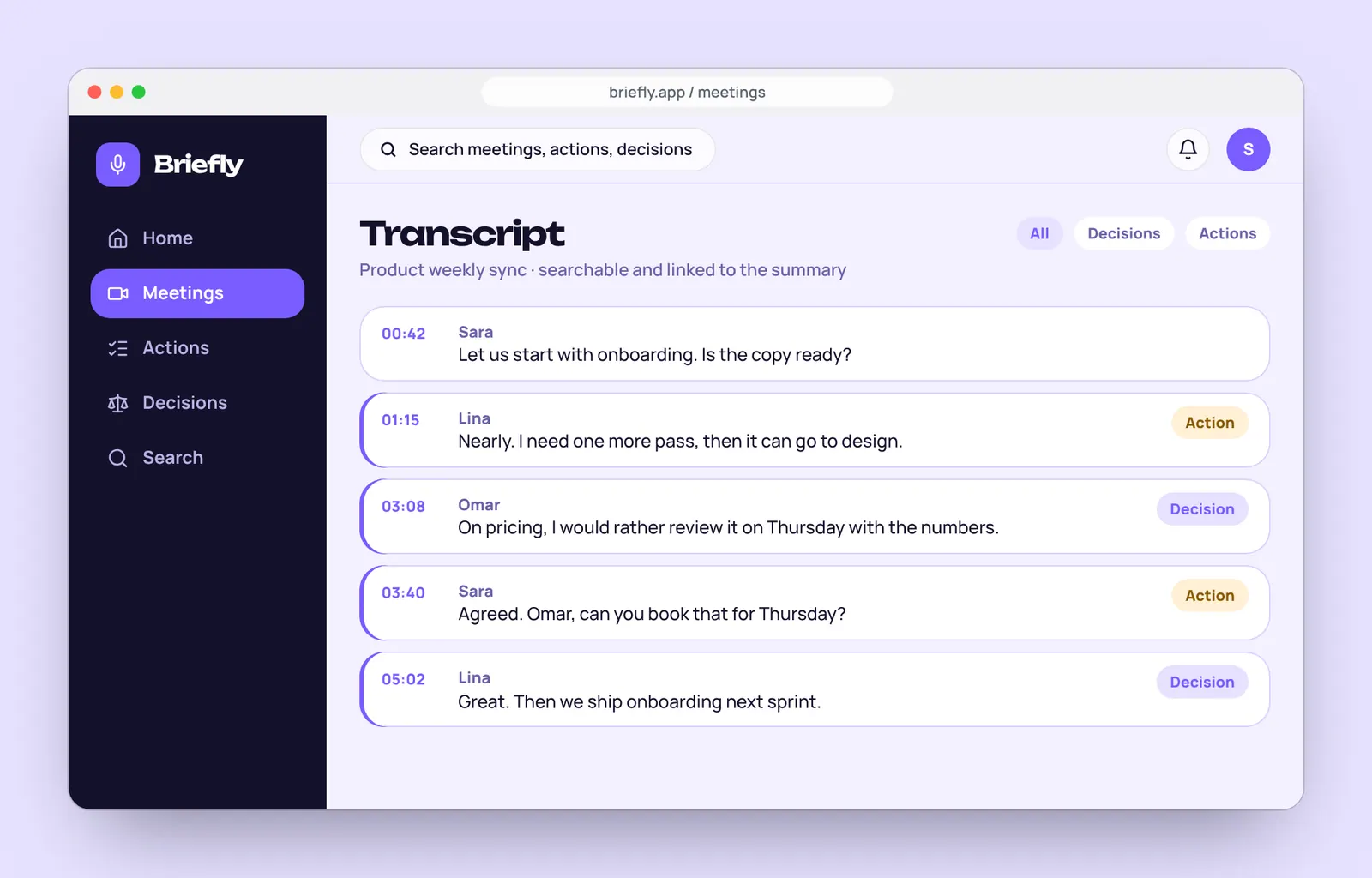
2. Read the summaryA short summary, decisions and owners, ready to share. 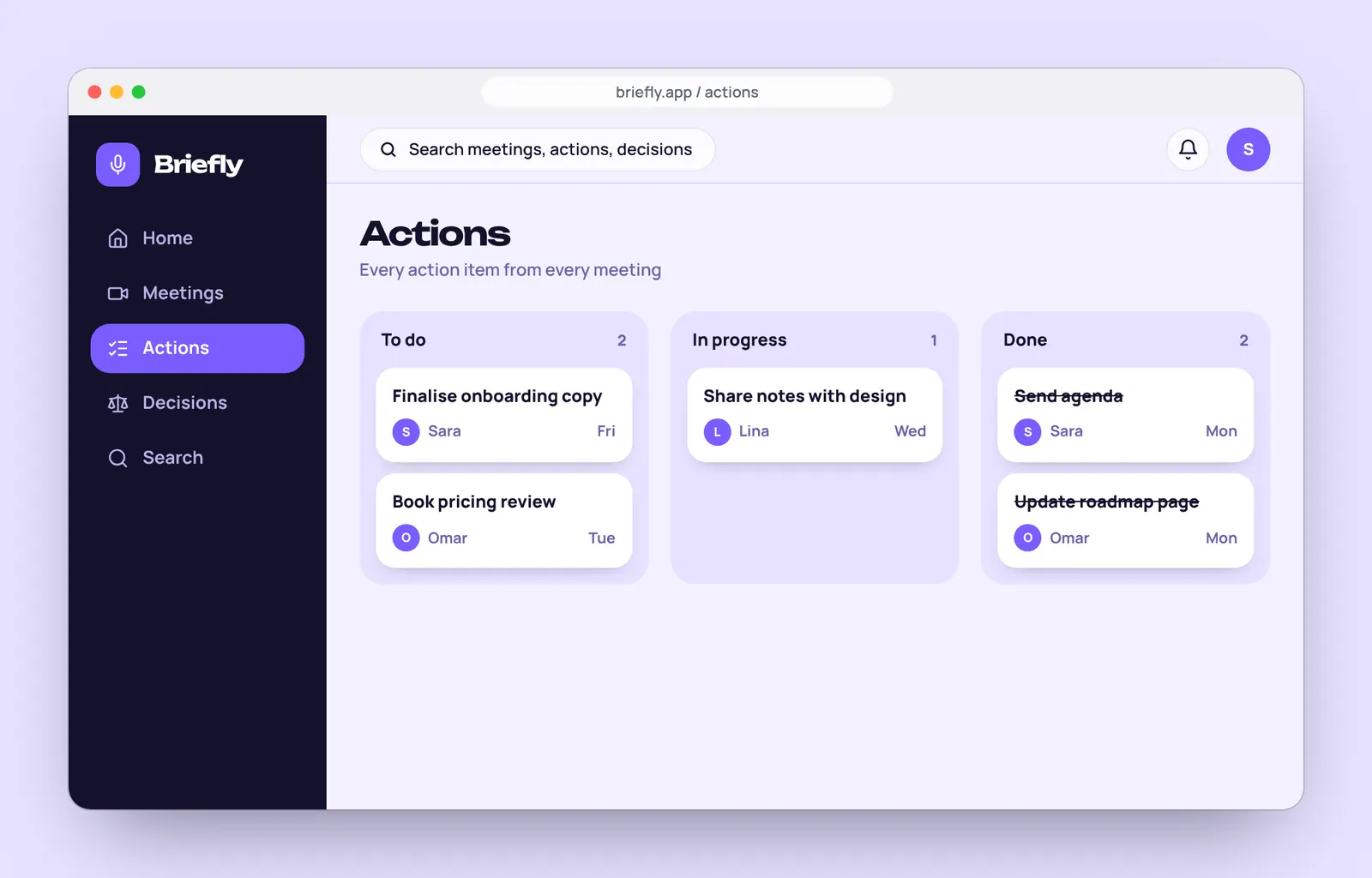
3. Track actionsEvery action in one board, by status. 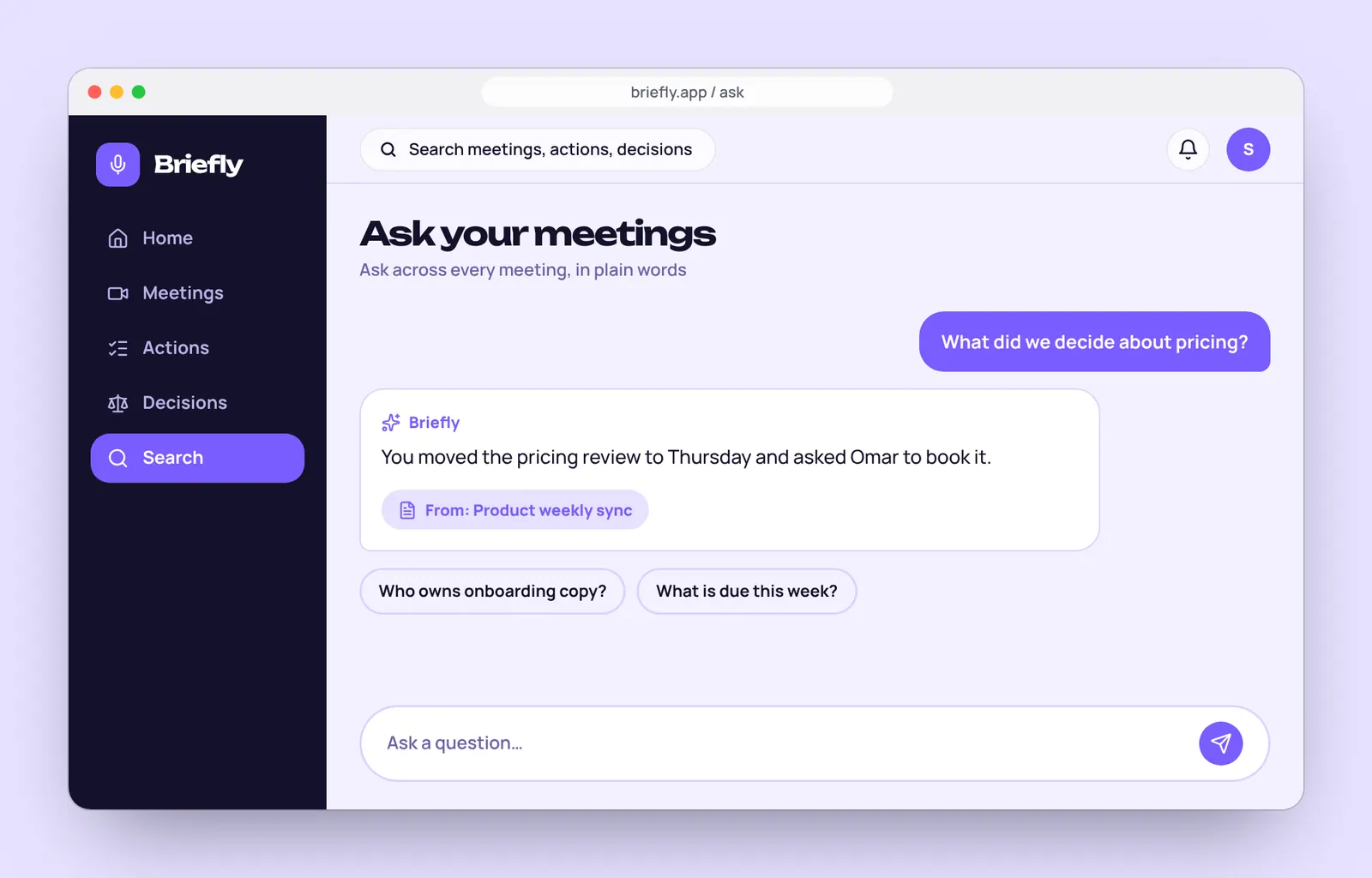
4. Ask a questionAnswers across all meetings, with the source.
A calm system for people who read a lot.
Colours, type and components defined once, then reused on every screen. It also makes the product faster to build.
Colour
- Midnight violet#14112BSidebar and dark surfaces
- Violet#7A5CFFPrimary actions and AI
- Lilac#C9BEFFHighlights on dark
- Soft lilac#E7E2FFTags and panels
- Paper#F4F1FFApp background
- Line#D9D2FFBorders
- Amber#FFB84DPending, writing notes
- Plum grey#6B62A8Supporting text
Display type: Unbounded
AaDecided: ship on Thursday.Body type: Manrope
AaComponents
Browse the product.
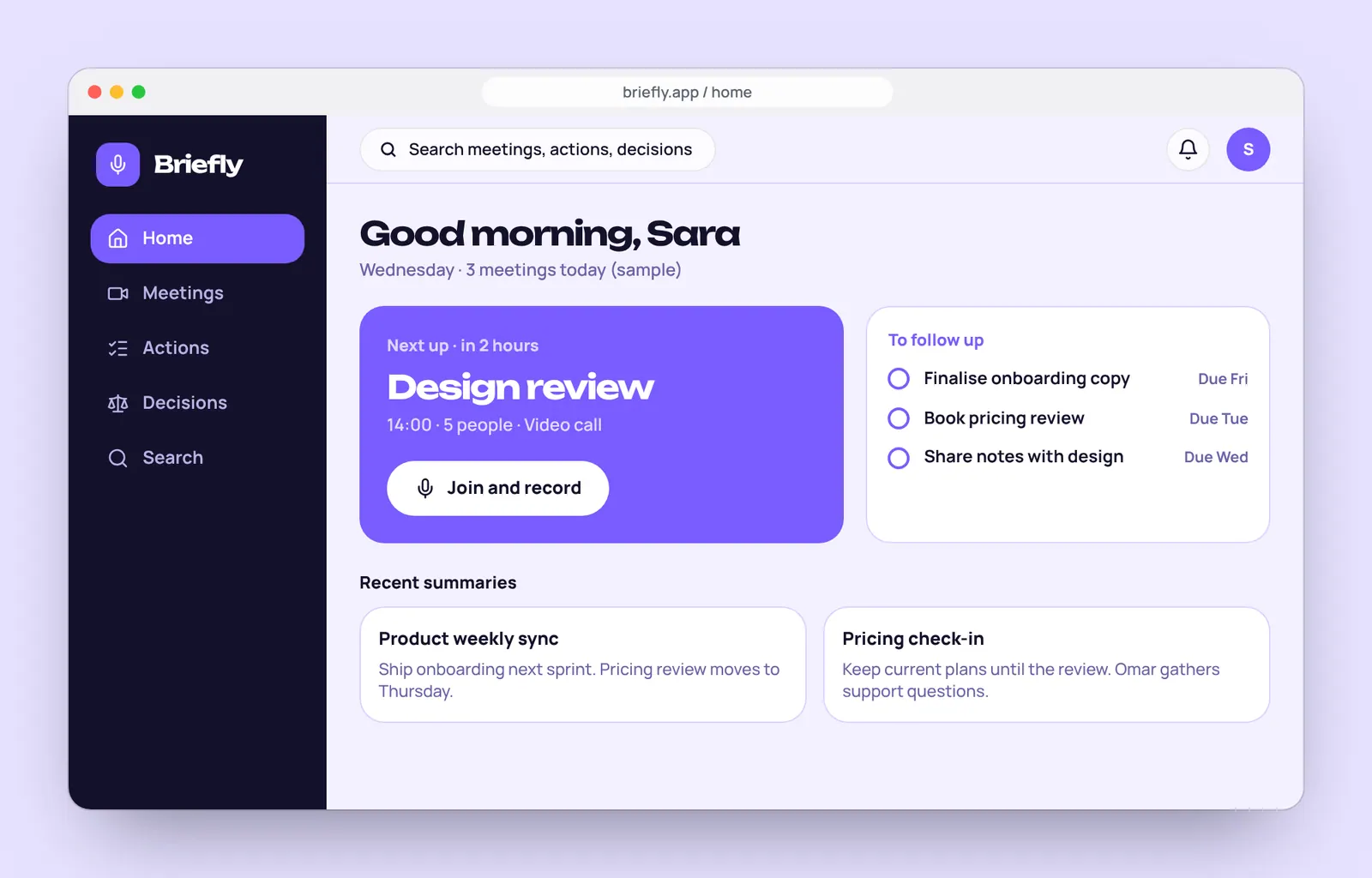
Pick a screen to see how Briefly moves from a busy week to a confident answer.
Try it: choose a screen
Home
Next meeting, tasks to follow up and recent summaries.
All the screens.
Ten designed screens, grouped by what the person is doing. All meetings and names are sample content.
Before and during the call
A calm start to the day, and notes that build themselves while people talk.
After the call
From a list of calls to a summary you can act on, with the full transcript behind it.
Follow through
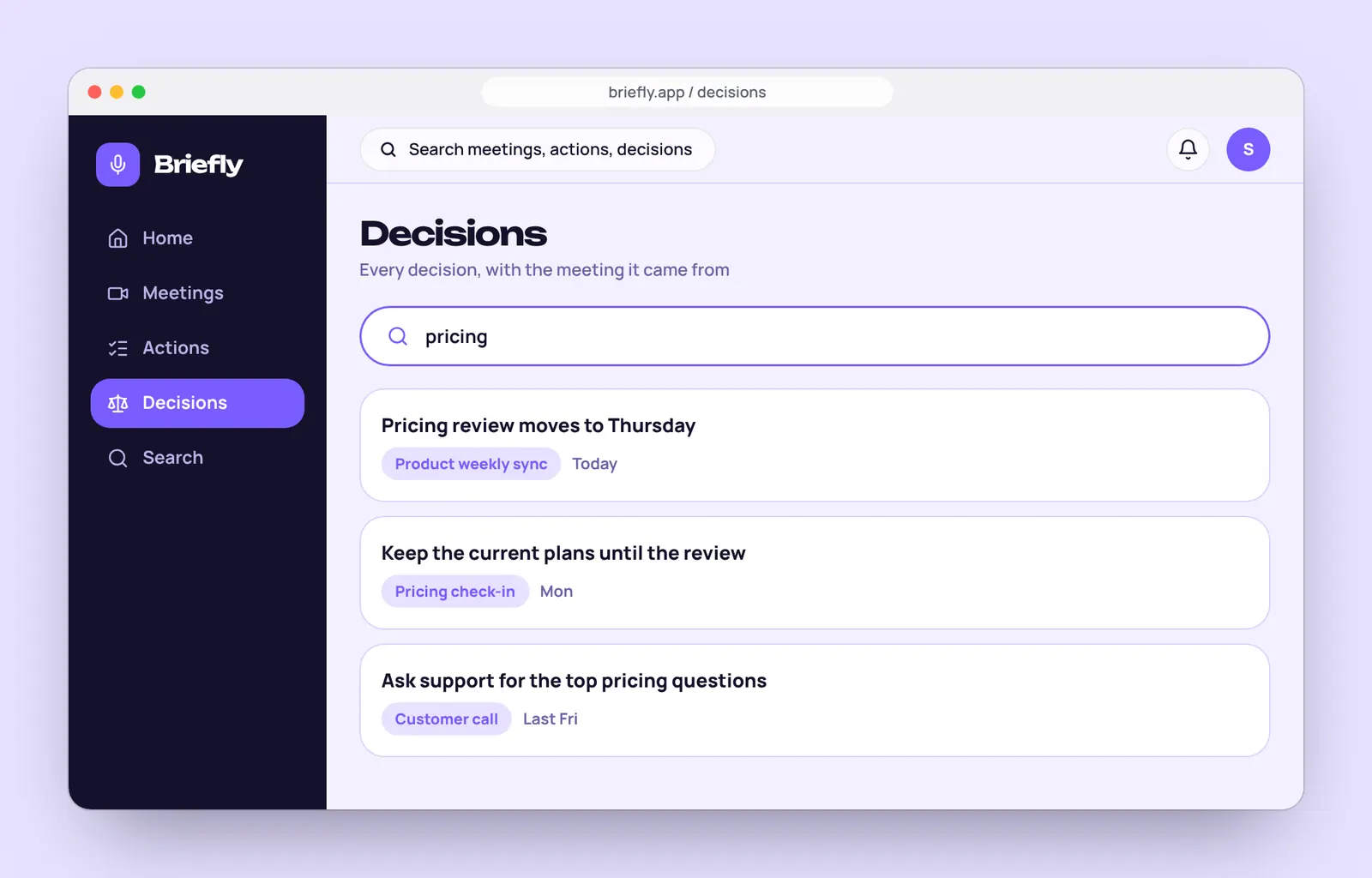
Keep the work moving and find any decision later.
Share and set up
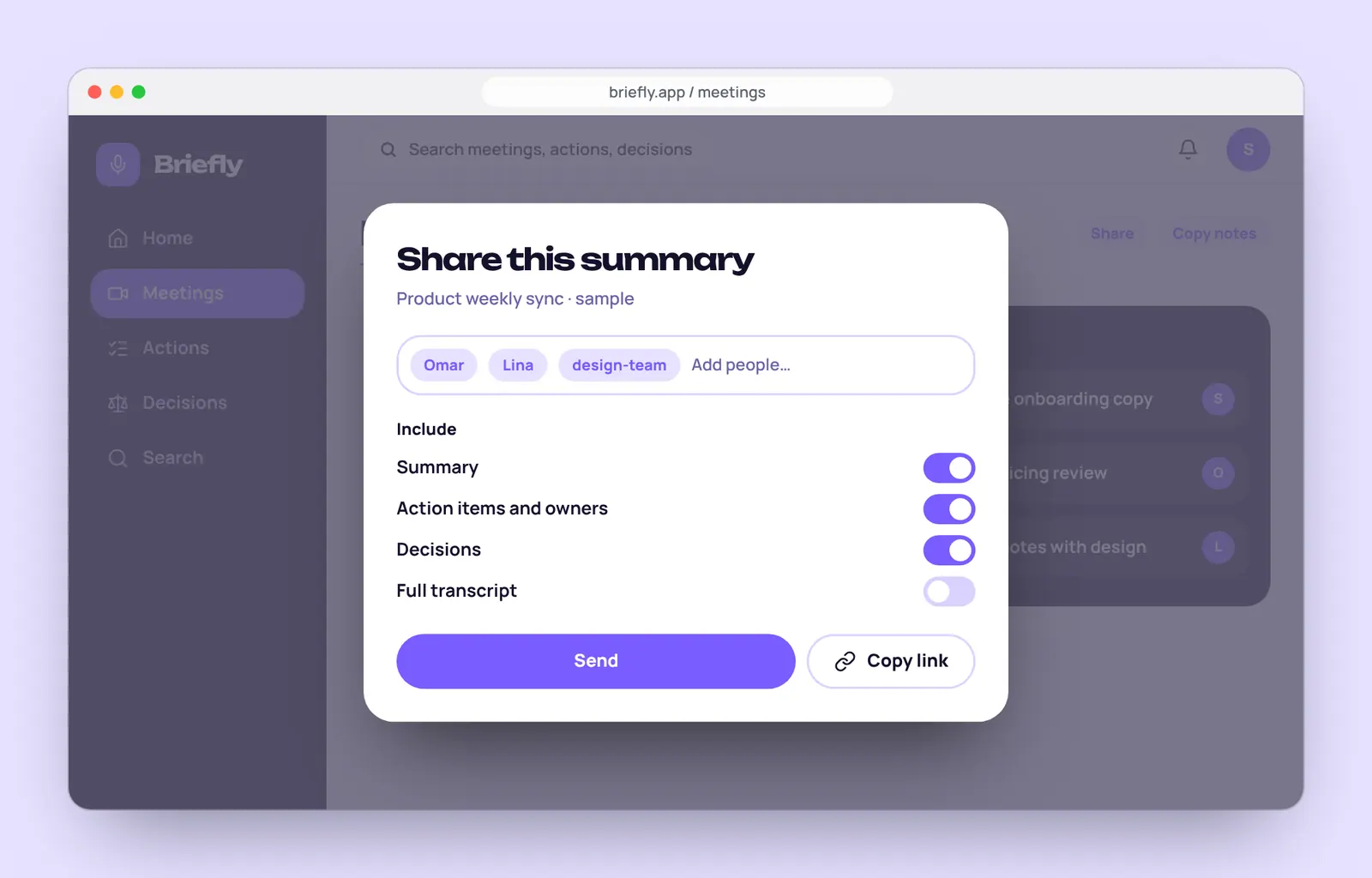
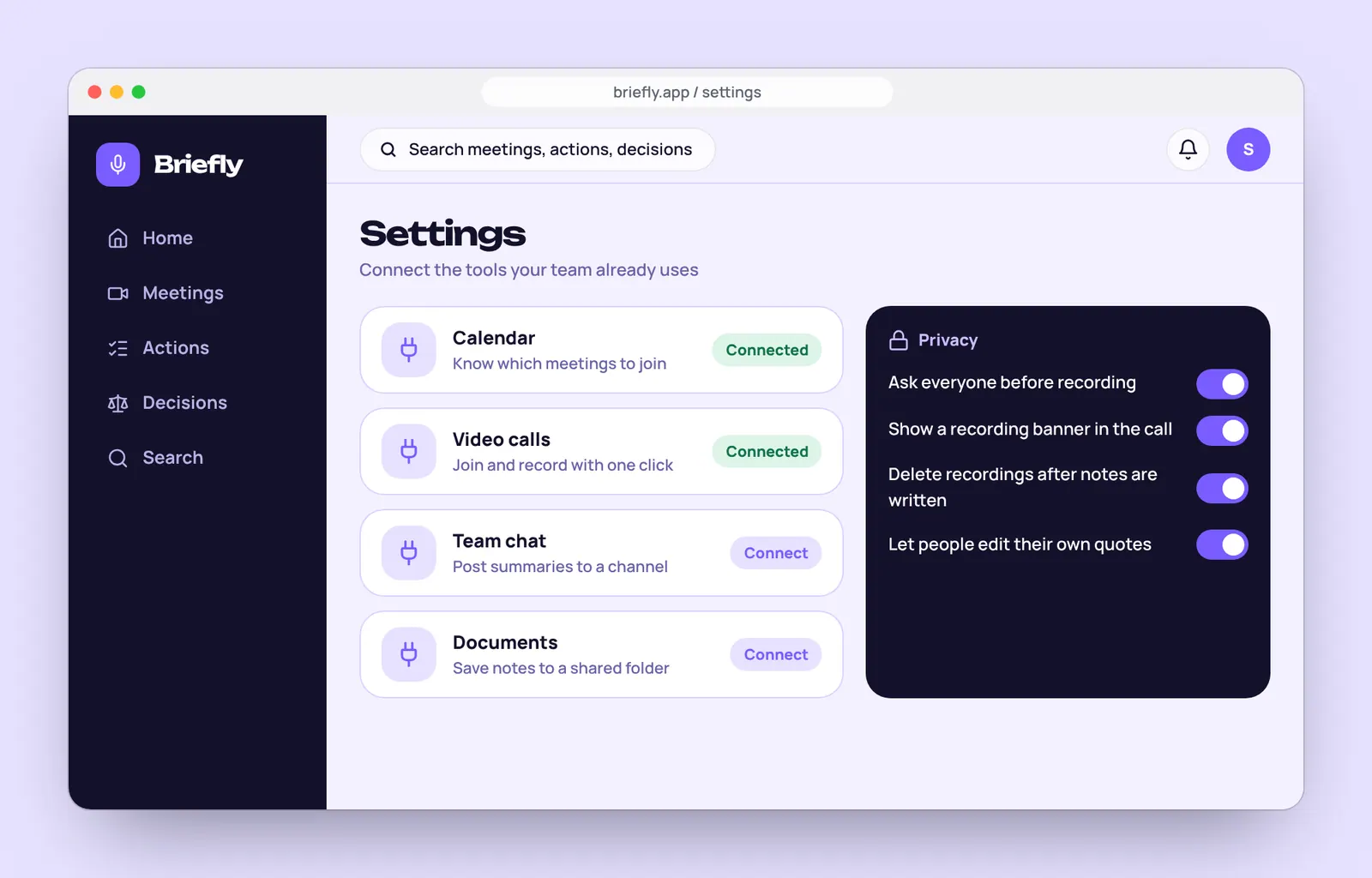
Send notes to the right people, and stay in control of privacy.
Small decisions that add up.
The details we paid attention to on every screen.
Short by default
Summaries lead with two sentences. Detail is one click away, never in the way.
Every action has an owner
Names and dates are pulled out and shown on a board, so nothing floats.
Answers with sources
Each answer names the meeting it came from, so people can verify it.
Edit before sharing
People can fix a name or a line before a summary goes to the team.
Privacy first
Clear consent for recording, and a one-click way to delete any meeting.
AI that shows its work
Uncertain lines are flagged for a human to check instead of guessed.
A clear plan for building it.
- 10 screens designed for web and desktop
- UX flows for recording, summaries and questions
- A UI kit developers can build from
- A clickable prototype for team testing
Let's build your next website.
Fill in the short brief and we will reply with a few questions, a rough timeline and a clear next step. No pressure and no jargon.